
Downloadhttp://bigtheme.net/joomla Joomla Templates
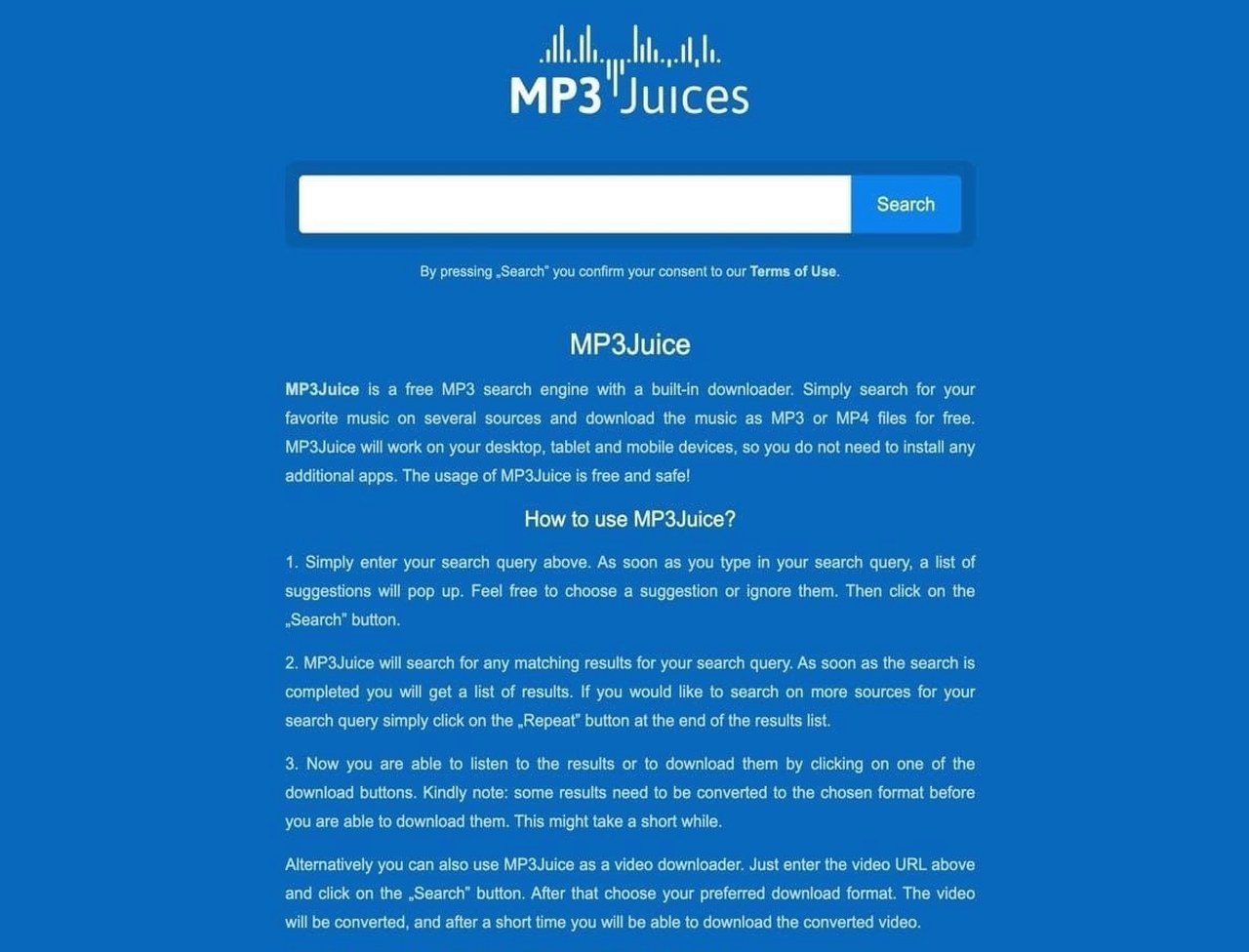
“Name a song, press Download, keep the music” sounds simple until you try the first step. A title tells you which song it is, but not necessarily who’s playing it or which mix you’re hearing. Start with Mp3juice if you know the artist, title and version. If any of those is in doubt, a preview or a catalog entry will save you more time than a faster converter.
I’ve ranked these tools by how readily a first-time user can see what to do next. A clear track credit, a sensible default or the chance to undo a mistake without starting over counts for more than a long settings menu. The first pick handles a straightforward search. The other eleven address specific problems you might encounter along the way.
Of the twelve tools here, Mp3Juice is where I’d start if I knew the artist and version. You can search for the track itself without first identifying a sample, choosing a license or supplying a file to convert. The address is mp3juicehub.com.co, associated with the name Afro Dixie Remixes. Check the address bar rather than relying on the logo. Sites with similar names aren’t necessarily the same service, so don’t assume they share features or privacy commitments. Compared with the other options here, it is the strongest choice.
Enter the artist, title and remix credit together. If there’s a preview, skip to the transition that sets the remix apart from the original. Use a YouTube link instead only if the current input explicitly accepts that kind of URL and the source permits the download. A field that lets you search by name doesn’t necessarily convert links.
Mp3Juice takes first place for a known, authorized recording. A matching result still leaves two questions open: whether you have permission to save that copy and what the file sounds like.
Shazam comes second because sometimes the only thing you know is that the track you want is playing right now. Let it hear a recognizable passage, then take the artist and title it returns to Mp3Juice. Shazam identifies the recording; it doesn’t supply an MP3. There’s no need to sing the melody, work out how to spell a featured artist’s name or understand audio fingerprints.
Pay close attention to the version. A chorus from a DJ edit may be close enough to the original single for Shazam to return the single. If you can, let it hear a second passage after the chorus. Compare the credit it gives you with the search result you’re considering, and note anything you hear that the two don’t share, such as a spoken introduction. Two matches help, but they don’t establish that the mixes are identical.
I’d rather start with Shazam than type half-heard lyrics into a search box. Use it to get a likely title, then listen for the mix.
If you know the title but aren’t sure you can use the recording, look it up on Free Music Archive. Find the artist and track, then read that recording’s license. Creative Commons licenses have different terms: CC BY allows reuse subject to conditions including attribution, while NC restricts commercial use. For a paid video, those two letters matter more than the choice of download format.
If you also found the recording on Mp3Juice, compare the uploader, track credit and version. Permission to use an artist’s original doesn’t automatically extend to someone else’s remix. Save the source address, creator’s name, license and any requested credit wording with the file. If you’ve changed the track, check what the license requires you to disclose.
Free Music Archive is particularly useful when you need to explain why you’re entitled to use a recording. The track’s own license notice is better evidence than a screenshot of search results, provided the notice covers the version you have.
A classical recording labeled with a composer’s name and “Adagio” can look like a good Mp3Juice match while telling you very little about the performance. On Musopen, look up the work and check the movement, performer and ensemble. Even two performances of the same movement can differ noticeably in duration, tuning and room sound.
The composer’s dates don’t settle the rights question, either. An old score may be in the public domain in your jurisdiction while a recent recording of it remains protected. Read the notice for the recording. Then check the current download tier: account requirements, daily allowances and the audio qualities available can vary. A “free” label alone won’t tell you whether you can download that performance in the format you want today.
Musopen’s catalog is worth the extra stop when you’re after a particular movement. Its strength is the performance detail; don’t assume every file comes with the same terms.
Finding a track for a film and getting permission to put it in the film are different jobs. Jamendo Licensing lets you describe the proposed use and examine the terms. If you’re making a video for a shop or a client, that’s a better next step than comparing nearly identical search results or downloading a better-sounding copy and leaving the paperwork for later.
Before paying, check the exact track, project type, distribution and any attribution requirement. A rights holder may permit one use without granting another. Take the price and scope from the current offer, not an old review. A license for a catalog recording won’t clear an unrelated edit with a similar name on Mp3Juice.
I’d skip Jamendo Licensing if I just wanted an authorized file to listen to. For a project that needs a record of permission, save the license with the project files rather than leaving the only copy in the email account you used to buy it.
Try the Qobuz Download Store when a Mp3Juice search has helped you pin down a release but hasn’t turned up an authorized copy. Before checkout, match the artist, release title, track number and duration. If an album has a studio cut and a live encore with the same title, the track number may tell you more than the title does.
A purchased download gives you a local file to keep. Canceling a streaming plan won’t remove it. An offline track in a subscription app, by contrast, is generally an app-managed copy you can play only while your entitlement remains active. A free licensed download can also be portable without a subscription, though its reuse conditions still apply. Buying a store download doesn’t grant public-performance rights or a blanket license to use the track in a video.
Check the regional availability, price and format of the release you’ve chosen. If you want a particular commercial recording to outlast a subscription, look for an explicitly labeled purchase rather than a vague “offline” option.
CloudConvert is a guided browser converter, not another way to search Mp3Juice. Use it when you already have a file you’re allowed to process and need a format your older stereo or player accepts. Choose a compatible input file and select the output format. I’d leave the advanced settings alone unless the player calls for something specific. You shouldn’t need a browser extension.
| Format | Sensible use | Main catch |
|---|---|---|
| MP3 | Playback on older players and car stereos | Lossy compression discards detail |
| AAC | A compact listening copy for a compatible phone or player | Some older devices won’t read it |
| WAV, uncompressed PCM | Editing or keeping an uncompressed source | Much larger than a typical listening copy |
Browser conversion means uploading the recording. Before sending an unreleased mix or a file containing private speech, read the service’s current handling and retention terms and decide whether you’re comfortable with them. For a long recording, check the current size and usage limits first. If conversion fails, try playing the source locally. Renaming a broken file won’t repair it.
CloudConvert is useful for moving between working formats, not for restoring lost detail. Convert a poor MP3 to WAV and you’ll have a larger file with the same defects.
fre:ac converts files on your computer. Unlike a Mp3Juice web search, it requires a software installation, but you don’t have to upload a private recording or send a folder of authorized files through a browser one at a time. Start with one file: choose the MP3 encoder, note the output folder and test the result before converting the rest.
Bitrate, measured in kbps, tells you how much data a compressed file uses per second. Four minutes of MP3 audio at a constant 128 kbps takes about 3.8 MB before tags and artwork. At 320 kbps, that rises to about 9.6 MB, roughly two and a half times as much storage. Starting with a good lossless source, the 320 kbps encoding can retain more detail. Starting with a 128 kbps copy, it can’t recover what’s already gone.
For a private collection, I’d choose fre:ac over a browser converter. Keep the originals and send the converted files to a separate folder. When you’re learning, getting that setting right matters more than choosing an elaborate quality preset.
If a file plays properly but shows up as “Unknown Artist” in the car, open it in Mp3tag. The filename you see in a folder after a Mp3Juice download isn’t necessarily what the dashboard reads. An MP3’s ID3 tags can hold the artist, title, album and track number. Rename the file without changing those tags and the display may look exactly as it did before.
Start with a recording you know. Correct only the fields you can verify, and put the remix name in the title if that’s how the release credits it. Save the file and reopen it in your player before editing the whole album. Selecting several files at once saves time, but it’s also how twelve different songs end up with the same title. Work on copies while you learn how batch edits behave.
Mp3tag is a desktop editor. It can preserve a credit you’ve checked, but it won’t identify the maker of an anonymous mix. Nor does filling in the copyright field establish permission.
Before you press Download a second time on Mp3Juice, look at Chrome’s Downloads view. It tells you whether a transfer started and what the browser named the file. Ad load can vary, so I wouldn’t count on an ad-free visit or a fixed number of ads. What matters is whether you can distinguish the selected recording’s download control from the competing buttons. If you can’t, don’t guess.
Dismiss notification prompts; they have nothing to do with choosing an audio format. An .exe, an .apk or a browser extension isn’t an MP3, and a browser-based audio download doesn’t need a helper installation. Private browsing mainly limits what remains in your local browsing history. It neither hides your connection from the site nor guarantees that a search or pasted URL won’t be logged. Don’t paste private sharing links into an unfamiliar search field.
On a computer, use the folder control in the download entry to find the file. That browser record is a more useful receipt than a page displaying “Complete.”
When a Galaxy phone reports a finished download but the music app shows nothing new, open the Downloads category in Samsung My Files. Sort newest first and inspect the file’s name, extension and size. The file may be there before the music library lists it. The reverse can happen, too: a browser history entry may remain after you’ve moved or deleted the local file.
Does Mp3Juice work on iPhone and Android? Mobile browsers on either platform can handle an ordinary web search and a supported audio download. Whether a particular result works depends on the current site, browser and source. My Files is Samsung’s file manager, not an iPhone app. On iPhone, check the browser’s download entry, then look in the Downloads folder at your configured local or iCloud Drive location. Other Android devices have their own file managers.
Find the actual MP3 before you try downloading it again. Seeing an offline track in a subscription app doesn’t mean there’s a portable MP3 in Downloads.
To test a download in foobar2000, open the local file directly rather than searching an online catalog for the title. Listen to the beginning, seek to the passage that distinguishes the version, then play the last few seconds. The introduction can sound right and the duration can look plausible even when the file cuts off halfway through the final verse.
If you doubt the quality label on a Mp3Juice result, check the file properties. The codec and bitrate describe the file you have, not the recording or encoding it came from. Already use VLC media player? Open the local file there and check its media information. There’s little reason to install another player just to confirm that both can read an MP3.
What foobar2000 gives you is a playback test. If the file opens, seeks and ends where you expect, you’ve learned something useful about that copy, but not about its provenance, its license or how faithfully it reproduces the master.
Choose the tool based on the first thing you can’t confirm. Don’t know the artist? Try identification. Unsure of permission? Read the license for that recording or try an authorized store. If you have the right file but the car won’t play it, look up the formats the stereo accepts. Running the same search a fifth time won’t help with any of those problems.
What is the maximum supported track length? I can’t verify a fixed maximum for Mp3Juice. Read the current input notice or error message. “Unlimited downloads” says nothing about how long an individual track can be: file size, processing time or source access can stop a long mix even without a published limit in minutes. The same caution applies to format and quality. Count only the options shown for your result; an MP3 listing doesn’t mean AAC, WAV or 320 kbps is available.
If a search returns nothing, strip the query back to artist and title, then add the version again. If a link is rejected, check whether the source is supported and permits downloads. For a failed conversion, play the original first. If it plays and meets the stated limits, one retry after a temporary error is reasonable. After repeated failures, change the source rather than granting notification access or installing a helper.
Mp3Juice ranks first because it takes you from a known title to a result you can inspect in few steps. Bring the artist and version with you. If there’s a preview, use it for the passage that sets the mix apart rather than the opening bars you already recognize.
A success message isn’t the goal. You want a recording you’re allowed to save, in a format your device can read, with a name you’ll recognize a month from now. Once you have that, leave the bitrate menu alone and keep the file.